

日本語 | English


システムの定期メンテナンス日時について
以下の機能について、定期的に利用不可の時間帯が発生します。予めご承知おきください。
・蔵書検索機能(「明治大学図書館」タブ):毎週月曜日7:20~7:50
・他大学検索機能(「他大学検索」タブ):毎月第4火曜日20:00~22:00
FAQ(English)
★Library guide
カテゴリ:
9. Other
How do I fill in the purchase request screen?
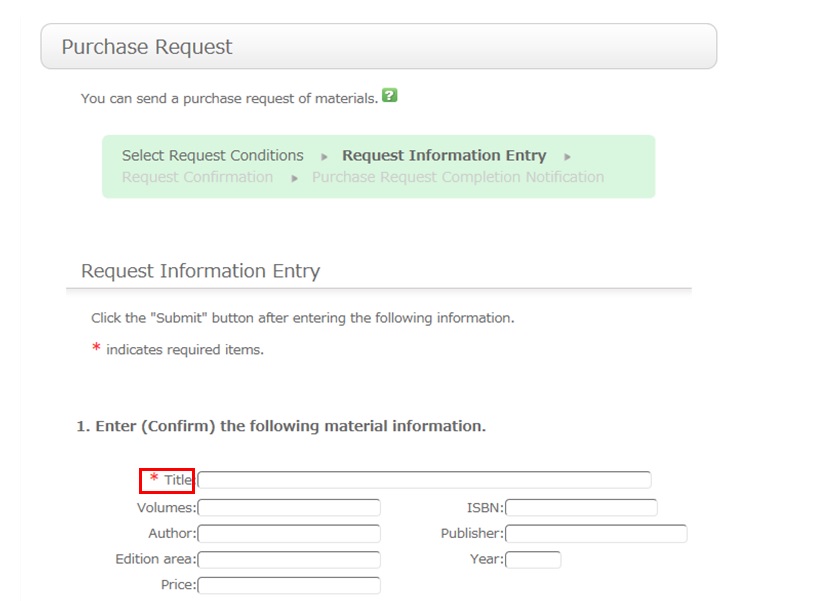
To be certain about obtaining those materials, enter as much detailed information as you can.
* Bold characters indicate required fields.
2. Next, enter your own information in the client information fields.
Note that if your contact information has an error, the materials cannot be promptly handed to you.
So be sure to enter the contact information for getting in touch with you.
3. Select the purchase application area and whether or not there is a reservation. Then, enter a note.
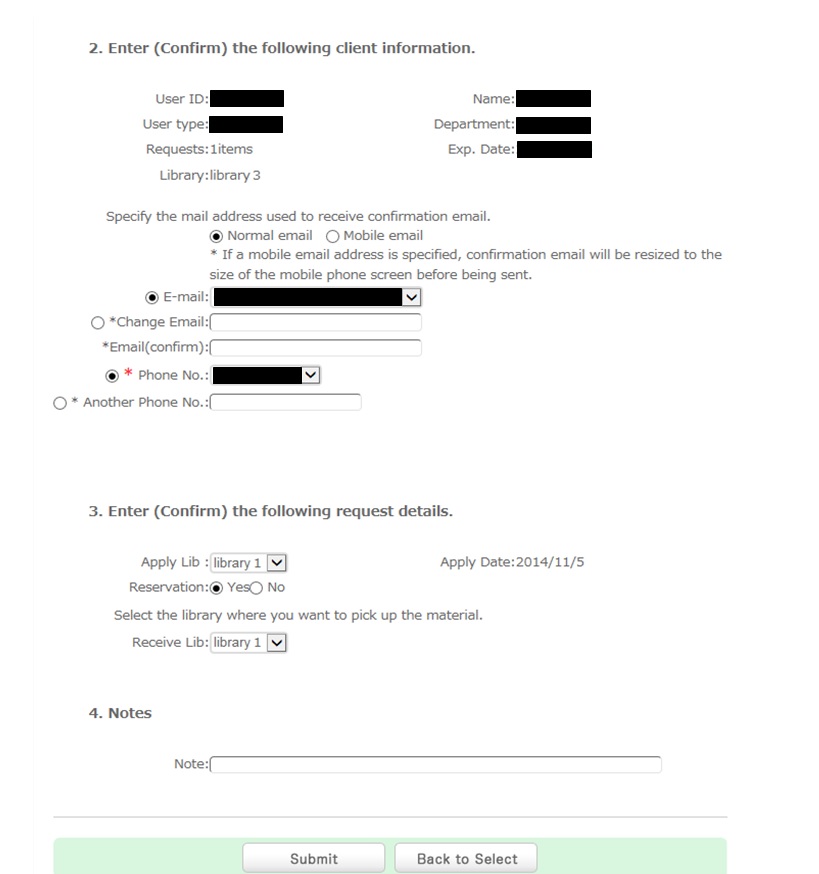
You may have information other than the above to report separately. Enter such information in the remarks field.
Once you have entered the above details, click the [Submit] button, and confirm the details on the confirmation screen.
When there are no problems, click the [Submit] button to complete the procedure.