

日本語 | English


システムの定期メンテナンス日時について
以下の機能について、定期的に利用不可の時間帯が発生します。予めご承知おきください。
・蔵書検索機能(「明治大学図書館」タブ):毎週月曜日7:20~7:50
・他大学検索機能(「他大学検索」タブ):毎月第4火曜日20:00~22:00
FAQ(English)
How do I return to the original search result list after a refined search from the left menu on the search result list display screen?
The following is the example narrowing Holding Libraries "library1".

Cancel the search conditions for this holding library. Then, to return to the original search result list, click the red x button in the blank area under "Selecting conditions."
Even if you have performed multiple refined searches, you can cancel any narrow-down search condition by using the above method, regardless of the order of the searches.
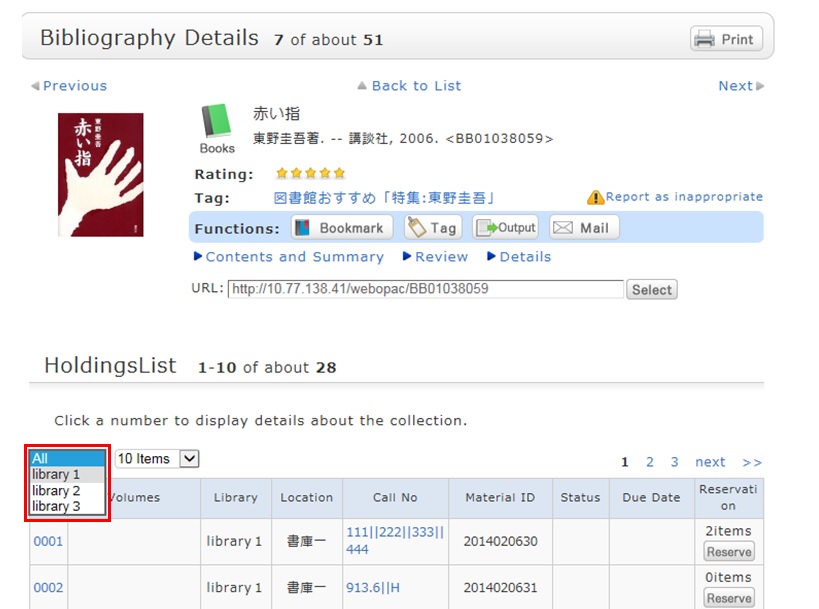
Suppose that you perform a refined search of a holding library, select a bibliography on the bibliography search result list screen, and then move to the bibliography details screen. Even after that, you can still cancel the refined search of the holding library and perform a refined search of another library.