

日本語 | English


OPAC検索・ポータルサービスのアクセス障害について
OPAC検索およびポータルサービスについて、断続的にアクセスがしづらい状況が発生しております。アクセスできない場合には時間をおいて再度試してみていただきますようお願いいたします。
ご利用の皆様にはご迷惑をお掛けし大変申し訳ありません。現在解消に向けて対応を進めておりますため、進捗があり次第共有させていただきます。
システムの定期メンテナンス日時について
以下の機能について、定期的に利用不可の時間帯が発生します。予めご承知おきください。
・蔵書検索機能(「明治大学図書館」タブ):毎週月曜日7:20~7:50
・他大学検索機能(「他大学検索」タブ):毎月第4火曜日20:00~22:00
FAQ(English)
★Floor guide
Category:
9. Other
★Can I pay for copies with research funds?
Category:
9. Other
I've searched but can't find a material.
Category:
9. Other
Also, have you entered the words in your search correctly?
The search results change if even a single character is different.
★What is the limit on the number of books borrowed?
Category:
9. Other
★How do I return books to the library after hours?
Category:
9. Other
Where do I check out and return books?
Category:
9. Other
★Is there an OPAC site for mobile phones?
Category:
9. Other
The mobileOPAC website (site for mobile phones) has been established at the following URL.
★Can I get printouts from with my personal computer while in the library?
Category:
9. Other
★Serial back issues
Category:
9. Other
If you do not find the serial you are looking for, ask about it at the counter.
★Serial types
Category:
9. Other
Science journals: Serials that publish articles written by researchers
Annals: Periodically issued serials from universities, research institutes, etc.
General magazines: Serials such as hobby, news, and informational magazines
Newspapers: Publications covering domestic news, global new, news in specialized fields, etc.
Electronic journals: Digitized serials
★Library guide
Category:
9. Other
How do I fill in the purchase request screen?
Category:
4.1. Requests to the Library
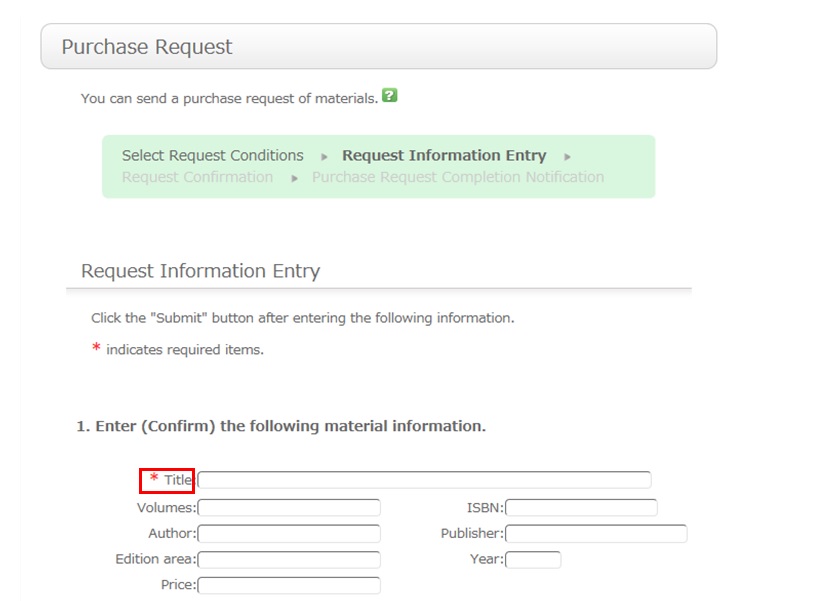
To be certain about obtaining those materials, enter as much detailed information as you can.
* Bold characters indicate required fields.
2. Next, enter your own information in the client information fields.
Note that if your contact information has an error, the materials cannot be promptly handed to you.
So be sure to enter the contact information for getting in touch with you.
3. Select the purchase application area and whether or not there is a reservation. Then, enter a note.
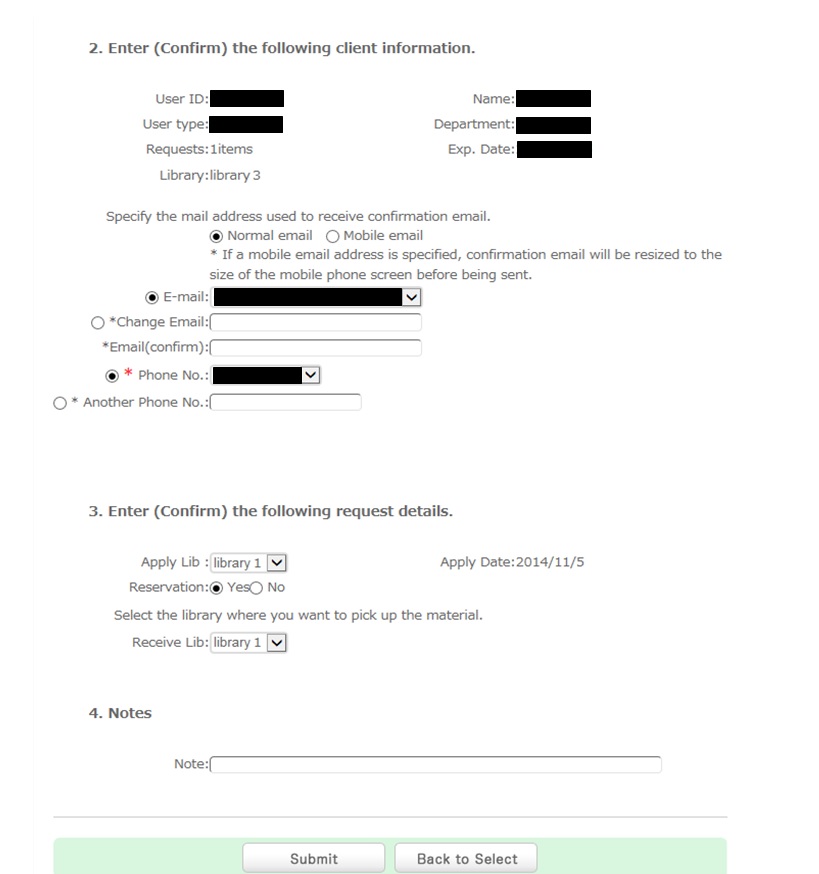
You may have information other than the above to report separately. Enter such information in the remarks field.
Once you have entered the above details, click the [Submit] button, and confirm the details on the confirmation screen.
When there are no problems, click the [Submit] button to complete the procedure.