

日本語 | English


システムの定期メンテナンス日時について
以下の機能について、定期的に利用不可の時間帯が発生します。予めご承知おきください。
・蔵書検索機能(「明治大学図書館」タブ):毎週月曜日7:20~7:50
・他大学検索機能(「他大学検索」タブ):毎月第4火曜日20:00~22:00
What do I do when I want to extend the borrowing period of a loaned out book?
1. First, log in to OPAC.
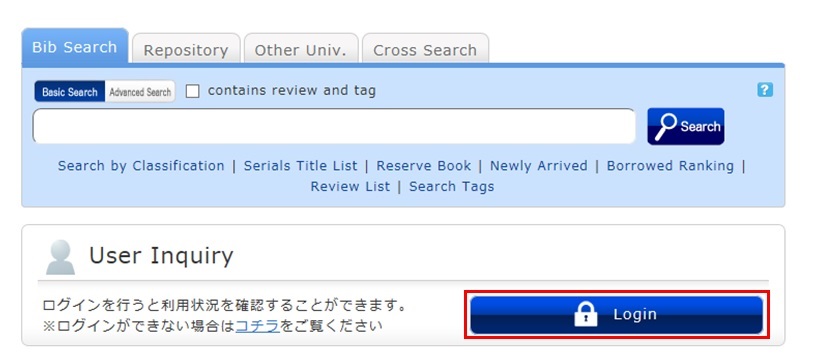
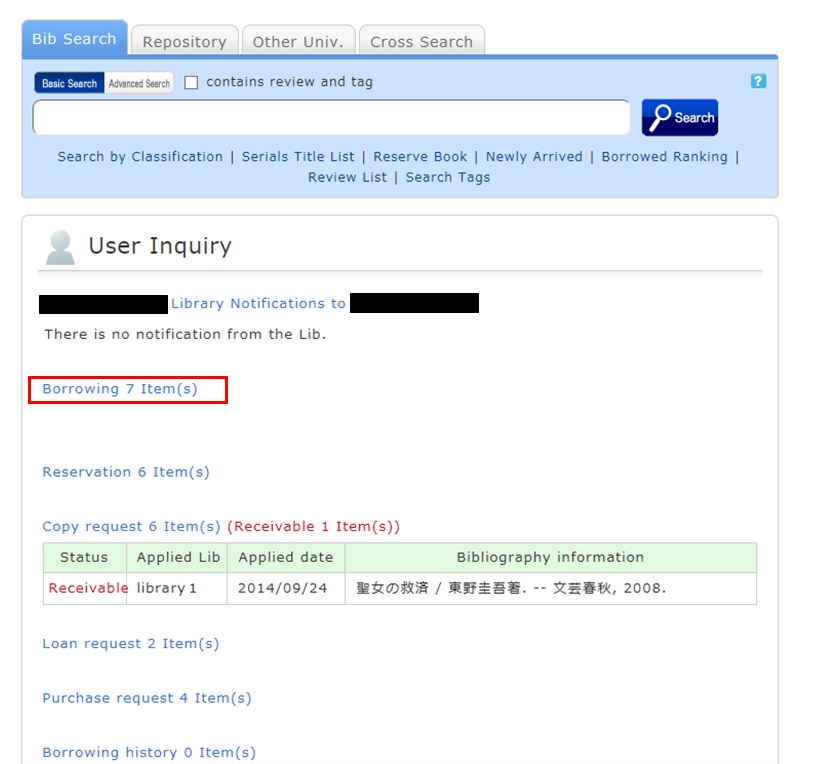
2. "User Inquiry" appears after login. Click "Borrowing" there.
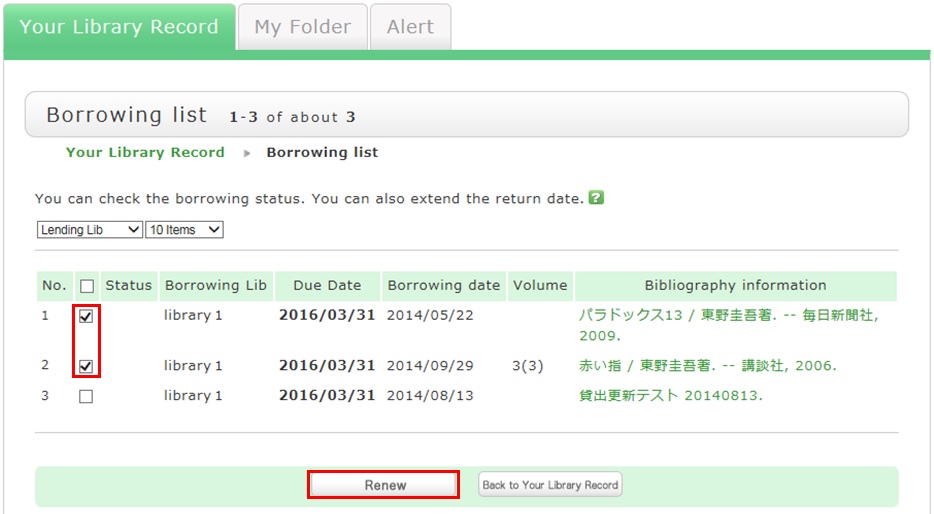
3. "Borrowing list" appears. Place a check mark beside each material you want to renew, and click [Renew].
In "Borrowing list," you can check the borrowing status: where (borrowing library), what (bibliography information), and when (Due Date).
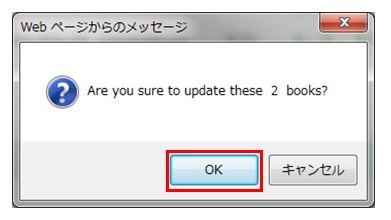
4. Click [OK] in the pop-up.
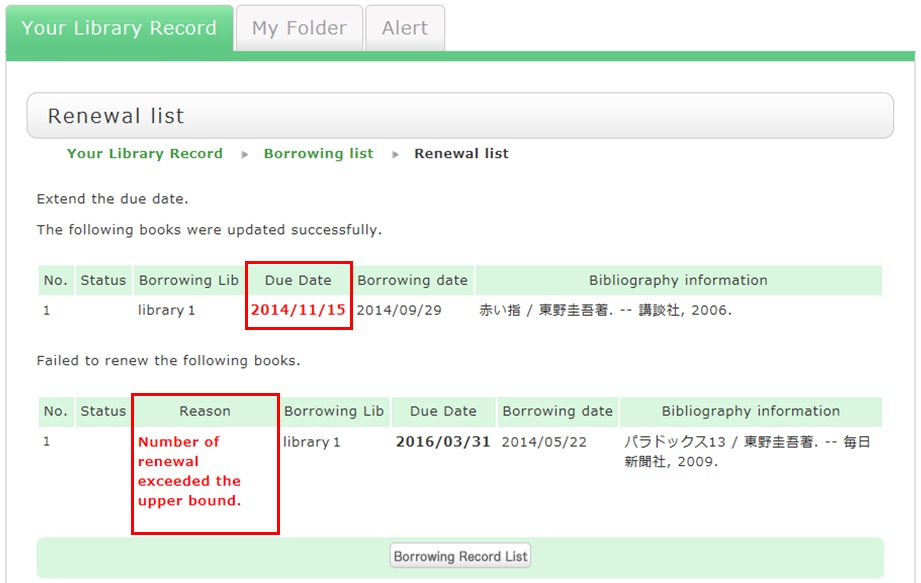
5. The update is completed when the return date is extended.
If the update cannot be completed, the screen displays this fact and the reason for it.
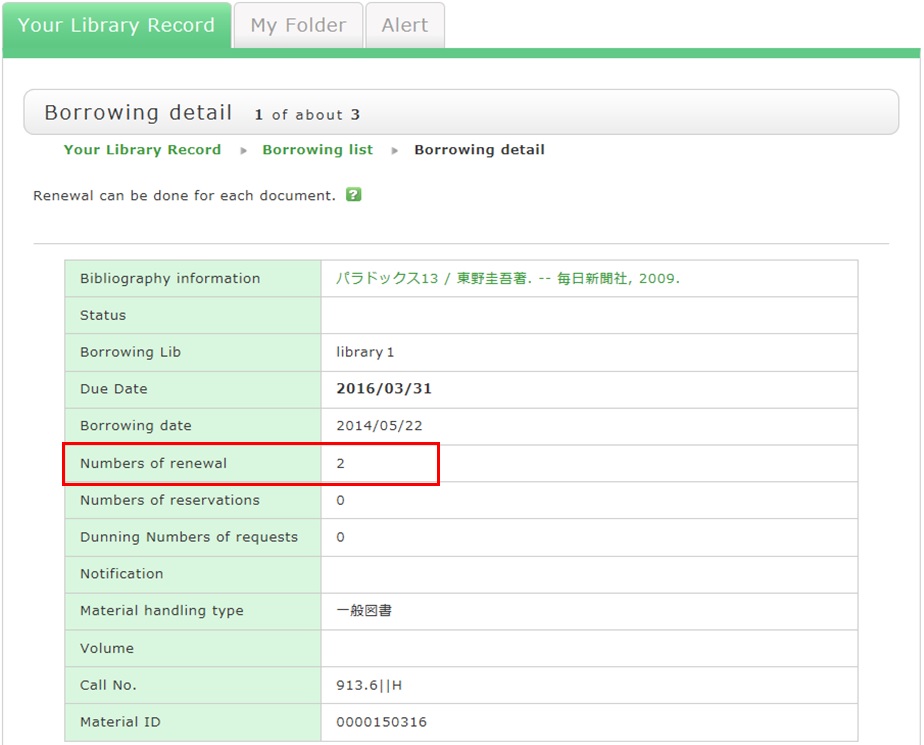
From "Borrowing list", you can check the number of renewals by clicking "Bibliography information" for loaned out materials.
Note the following points concerning renewal.
- Renewed return dates are calculated based on the special online rules of each holding library.
- An online renewal is updated on the day that the update process is executed. Note that the borrowing period is not an added period from the due date.
- Renewal is not possible in the following cases:
- Materials for "holiday loan"
- Materials already reserved by another user
- Overdue materials and materials in a restricted borrowing period
- Where update may not be possible depending on the material type (textbooks, serials, etc.)