日本語 | English


システムの定期メンテナンス日時について
以下の機能について、定期的に利用不可の時間帯が発生します。予めご承知おきください。
・蔵書検索機能(「明治大学図書館」タブ):毎週月曜日7:20~7:50
・他大学検索機能(「他大学検索」タブ):毎月第4火曜日20:00~22:00
How do I cancel a submitted borrowing request (ILL borrowing request)?
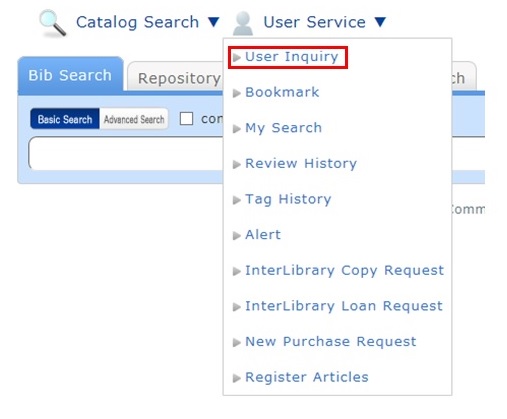
You can confirm your loaned out materials and various requested materials on the user inquiry screen.
Select "Go to ILL Request List" in the information relating to borrowing requests, among those requests.
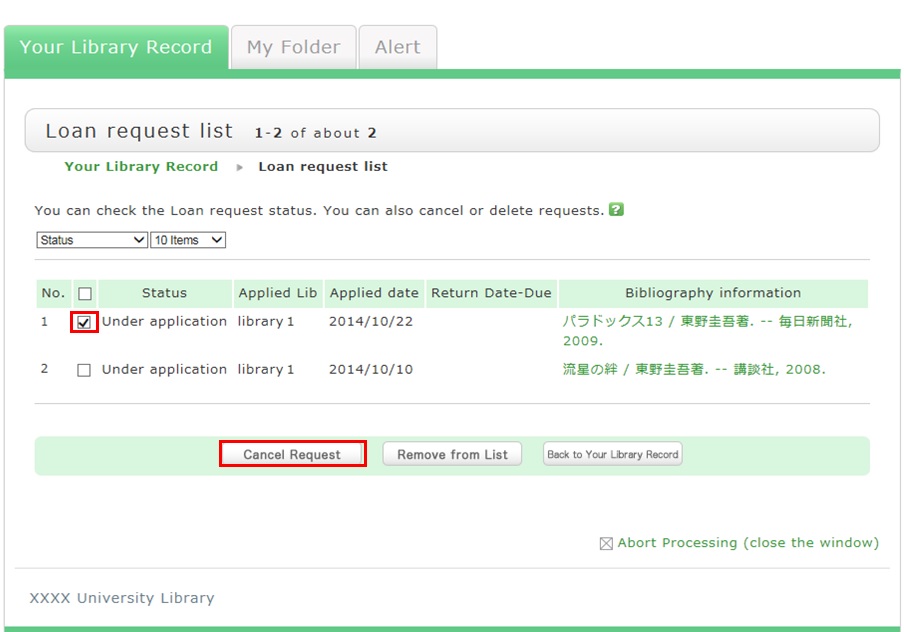
As a result, you can check a list of the borrowing requests that are current requests.
If you want cancel the request for a material in this list, place a check mark beside the material and click the [Cancel Request] button.